
Summary
WordPress shortcodes allow users to perform certain actions as well as display predefined items within WordPress pages and posts. The Gravity Forms form shortcode is the primary method used to display a Gravity Form on your site.
The form shortcode can be used anywhere within WordPress where shortcodes are supported. For most users, this will primarily be within the content of a WordPress post or page. Shortcodes are added when you use a standard WordPress editor to add the form to the page. Refer to the next section below if you just want further information on adding a form to your site.
But I Just Want To Add A Form!
The information contained here is not needed to add a form to your site, as the standard Add Form functions contained within the page editor will construct the shortcode for you without any manual editing required. This article is just a handy explainer for those curious as to what these shortcodes mean. If you simply want information on the process of adding a form to your post or page, refer to this documentation section.
Example Form Shortcode
[gravityform id="1" title="false" description="false" ajax="true" tabindex="49" field_values="check=First Choice,Second Choice" theme="orbital"]
Parameters
The following parameters can be added to a shortcode. All are optional unless marked otherwise.
| Parameter | Description | Example Usage |
|---|---|---|
| id | Required. The numeric ID of the form that is to be embedded. For help finding the form ID, refer to this guide. | id="1" |
| title | Whether or not to display the form title. Defaults to true. | title="false" |
| description | Whether or not to display the form description. Defaults to true. | description="true" |
| ajax | Specify whether or not to use AJAX to submit the form. | ajax="true" |
| tabindex | Specify the starting tab index for the fields of this form. | tabindex="4" |
| field_values | Specify the default field values. See this article for detailed information on dynamically populating field values. | field_values="check=First Choice,Second Choice" |
| theme | Specify the theme to be applied to the form by providing the theme slug. Possible values are orbital for the Orbital Theme and gravity for the Gravity Forms 2.5 Theme. Orbital-themed forms set this way will be styled using the Orbital default style settings, which can be modified using this filter. | theme="orbital" |
Adding a Shortcode Using the Shortcode Block
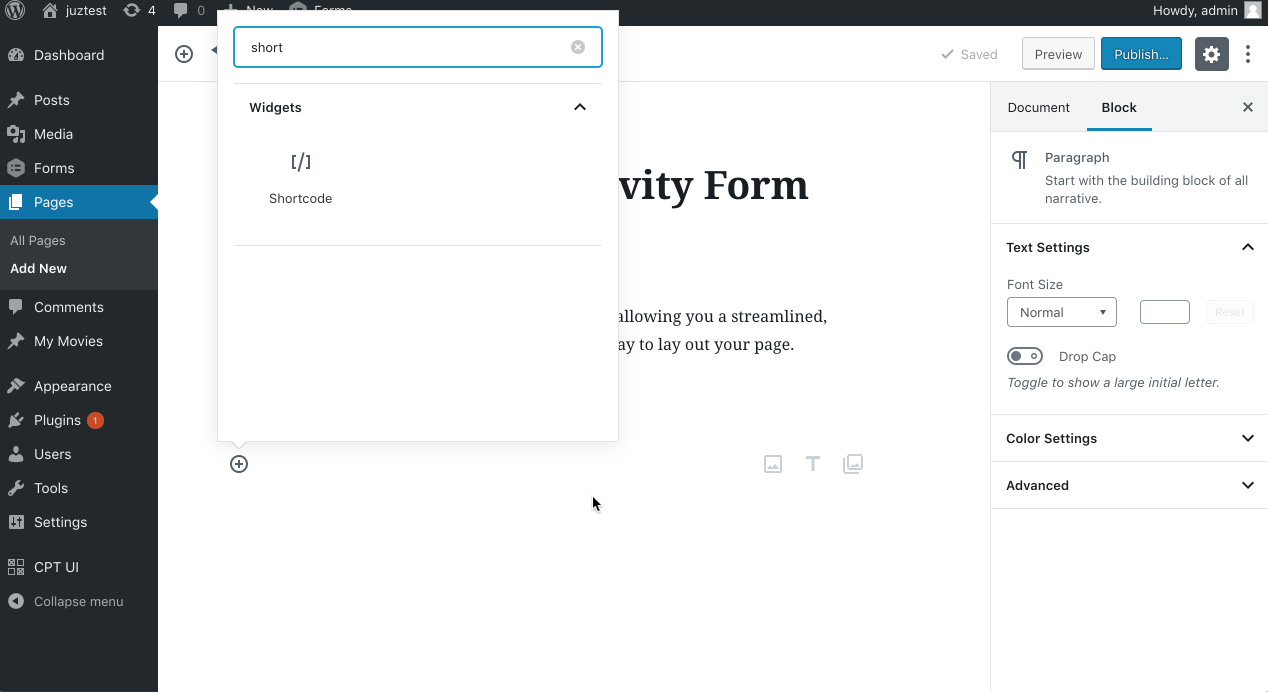
If you are using the block editor and want to add a form using the shortcode (instead of using the Gravity Forms block), you can add it using the Shortcode block, which is found under the Widgets category.
To do this, follow these steps:
- Note the form ID of the form you wish to insert on the page.
- Within the new block-based editor, bring up the (+) or “add new block” dialog where you would like to position it on the page.
- Use the search bar to find the Shortcode block and add it. See screenshot.
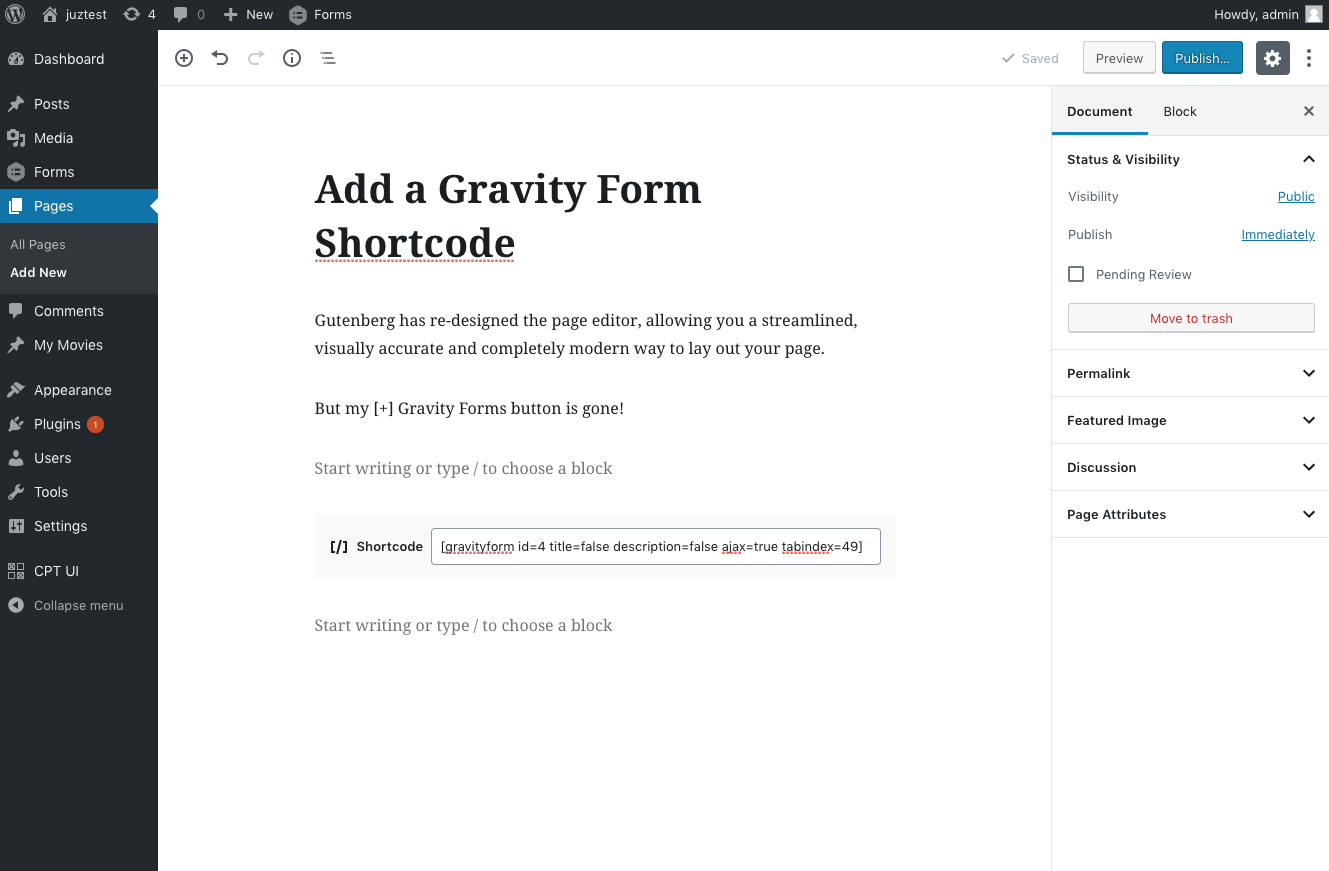
- Insert a valid Gravity Forms shortcode inside the shortcode block. Don’t forget to add the specific form ID you noted within the id=X argument. See screenshot.
- Preview your form, and make sure everything checks out!
Possible Errors
If you use the id for a form that does not exist, the following message will be displayed:
Oops! We could not locate your form.
Shortcode Actions
Other plug-ins can extend the abilities of your Gravity Forms shortcode. Refer to this article for information on additional shortcode functionality that comes with our official User Registration plugin.